How I Use Obsidian with Claude
My note taking app of choice is Obsidian. It checks all the boxes — local, private, fast, flexible and very straightforward to use.
It is essentially a local directory with a bunch of markdown files.
In this blog post I will walk you through my local Obsidian setup and how I added Claude on top to act as a digital assistant.
Let's get started.
My Obsidian Setup
I have intentionally kept my setup very simple and lightweight with only these modules:
Assets — images, videos
Blogs — all my written blog posts across all categories
Books — book notes and reviews
Business — growth strategy and content roadmap
Excalidraw — diagrams that are referenced elsewhere
Health — personal health vitals and learning material
Journals — weekly and monthly reflections
Management — engineering manager thoughts, ideas and reflections
Programming — technical notes on software development
Travel — trip reports and reward credit card strategies
Except Health and Journals, everything else is publicly sharable, so privacy is not the biggest worry.
Writing on Obsidian is a breeze. Everything is based on markdown files, so I can edit them anywhere — TextEdit, VS Code, Google Docs, etc. Simple keyword searches work pretty well too.
However, once you have a treasure trove of content, it becomes difficult to extract key insights and learnings. You can only go so far with keyword searches.
Everything changed when I started integrating Claude (and other LLM models) with my Obsidian vault (root directory of all notes).
Claude Code and Obsidian
The easiest way to add a Claude layer on top of Obsidian is through Claude Code.
I navigate to my vault directory, then invoke claude in my CLI of choice (right now iTerm). I also have a local CLAUDE.md file with instructions about how to navigate my notes directory.
Then, all my notes are connected to Claude. Since everything is markdown, Claude processing is very fast.
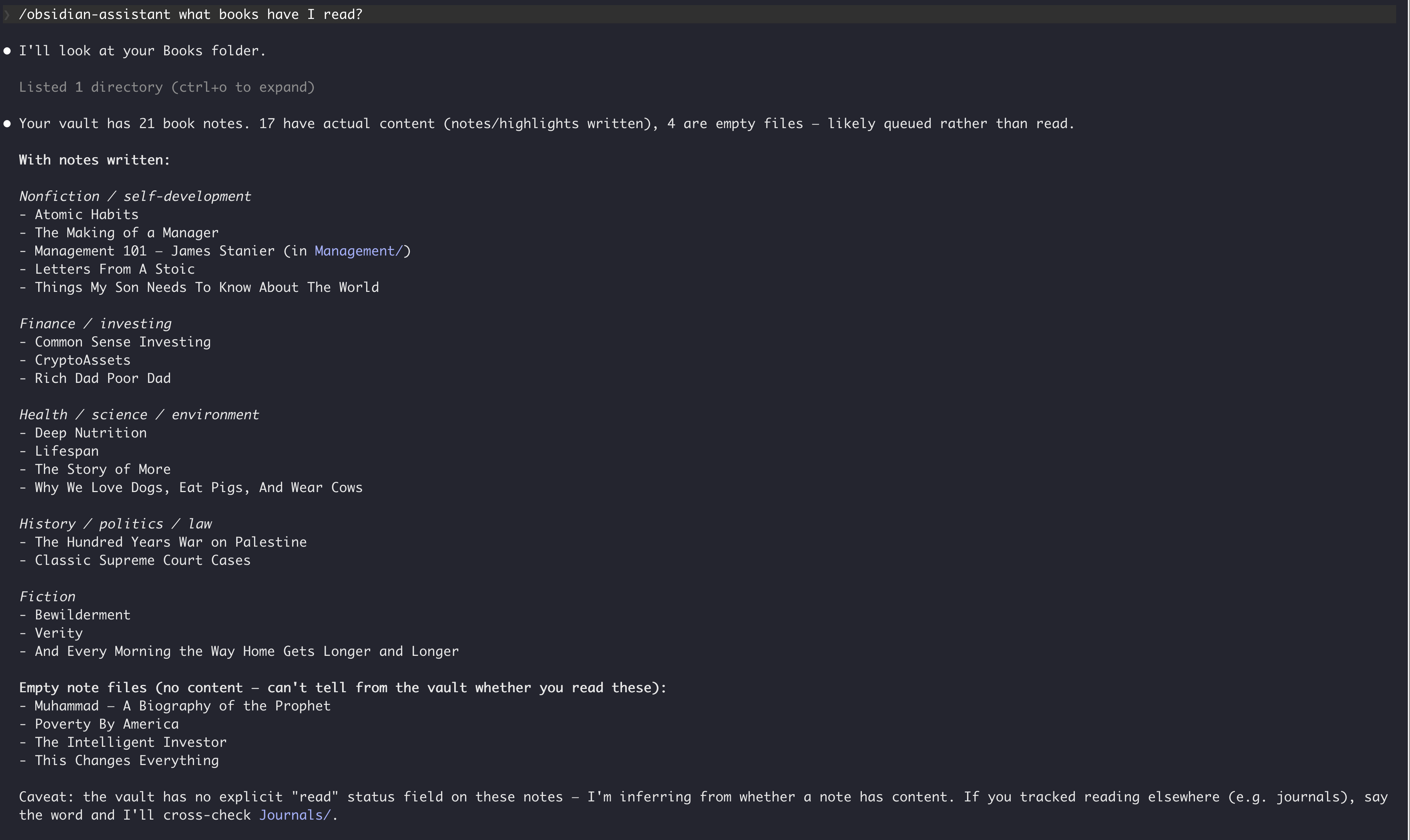
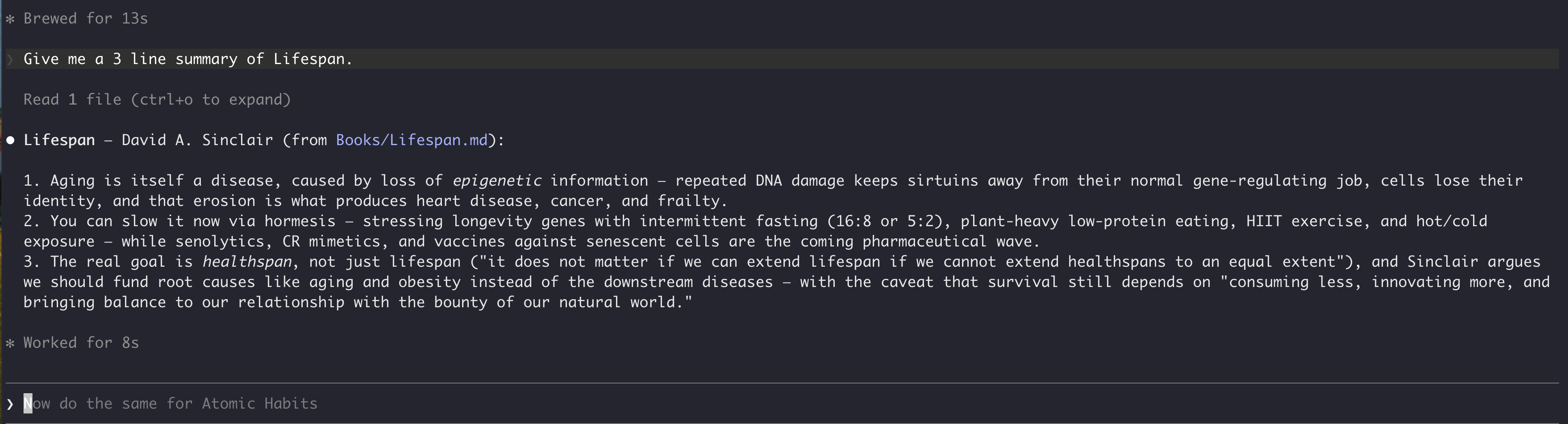
Here you see me asking about my past readings, and every query gets answered in sub 15 seconds.
Obsidian's native search can never give such rich answers.
Claude Desktop and Obsidian
Although I exclusively use Claude Code, many of you might be intimidated by CLIs. However, you can do the same with Claude's desktop app.
Recently, Anthropic merged Claude and Cowork into the same UI, so it's even easier now. All you need to do is give Claude access to the vault directory. After that, you just prompt away...
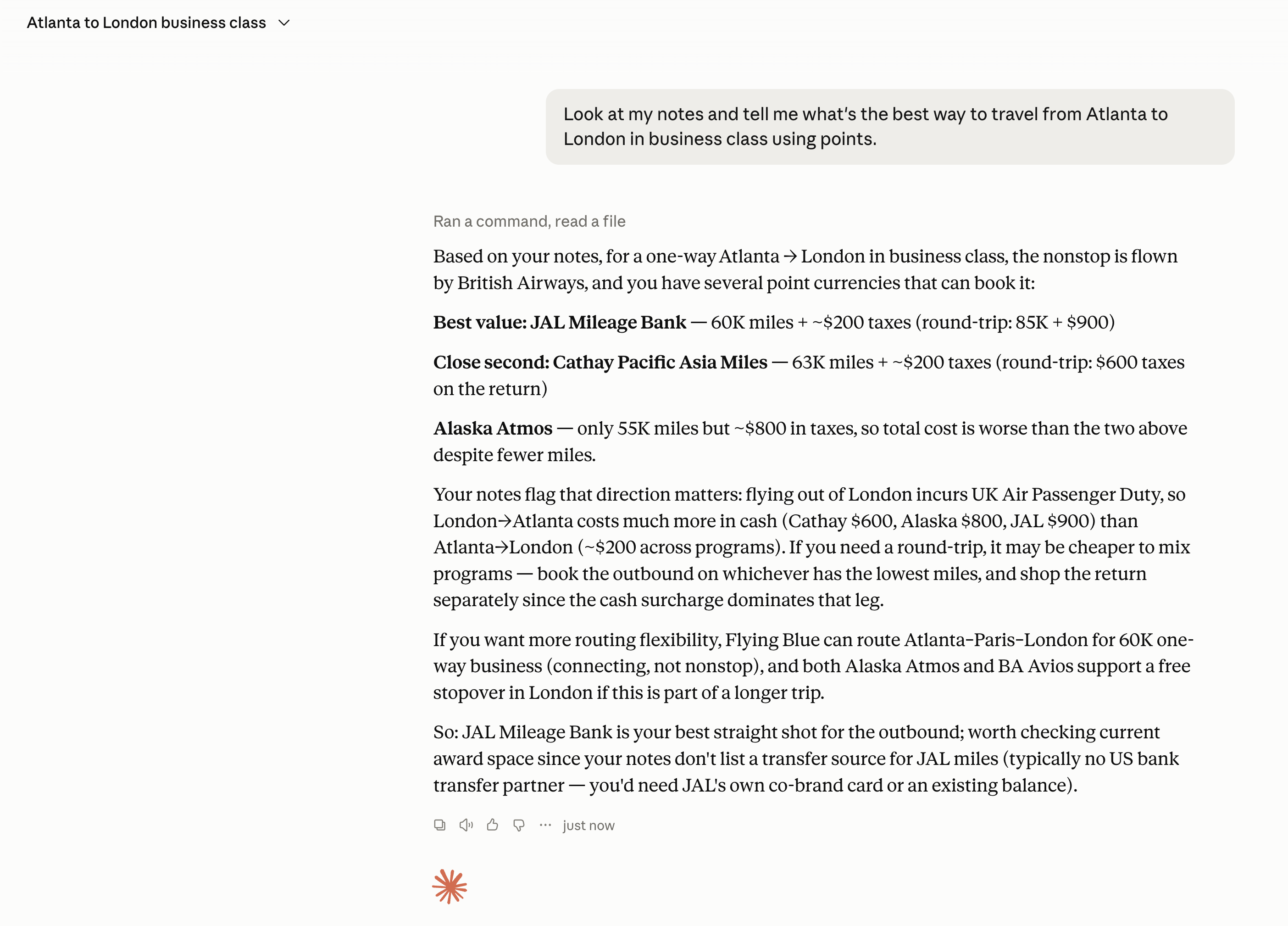
Above you see Claude pulling travel rewards information from my notes and synthesizing them into a coherent answer. So much better than doing a "London" keyword search in Obsidian.
Claude Skill to Simplify
Going back to Claude Code, earlier I told you the easiest approach is to invoke Claude from your vault's root directory.
However, you can simplify it further by creating a Claude Skill.

I created a skill called obsidian-assistant that specifically tells Claude to answer all prompts using context from my local Obsidian vault. With this in place, no matter where I invoke Claude, it keeps the answer limited to my notes.
This is the same trick I used in my TickTick and Claude setup, where a ticktick-assistant skill makes Claude default to TickTick for anything task-related.
One Big Flaw — Privacy Concerns
Similar to using Claude with TickTick (or any task manager), one of the biggest flaws with this approach is privacy.
All your personal notes are going to Anthropic's servers before Claude gives you an answer.
Unless you run a local model, there's no getting around it.
I don't have a good solution to this. Currently, I have separated my Health and Journals directories into a different vault without Claude access, but that's quite limiting if I have questions about my whereabouts or health.
I am in the process of experimenting with local LLMs using LM Studio, so hopefully in the next few weeks I will have a more private solution for y'all.
Closing Thoughts
That's all for today.
If you have read so far, feel free to join my newsletter for similar content.
Similar Posts
July 30, 2026
Use Private LLMs with Obsidian and TickTick
How I solved the privacy problem in my Obsidian and TickTick workflows by running local open-source models through LM Studio — including Claude Code with zero calls to Anthropic.
July 25, 2026
How I Use TickTick with Claude
A month of experiments connecting Claude to TickTick via MCP — the productivity wins, the coding workflow, and the privacy tradeoff I haven't solved.
July 27, 2026
How I Use Obsidian with Claude
My lightweight Obsidian vault setup, and how I layered Claude Code, Claude Desktop, and a custom Skill on top to turn it into a digital assistant.
August 17, 2026
The $0 Google Gemini Productivity System
How I migrated my entire productivity stack to Google products and put Gemini on top to automate the busywork, all for free.